


Themes: Widgets & Icon Changer
4.7747.00 Reviews
App Specs
- Version
- 1.9.0
- Updated On
- License
- Free
- Downloads
- 5,000,000+
- Developer
- Maxlabs Personalization Tools
- Categories
- Personalization
- Platform
- Android, iOS
Screenshots
 Analysis by AppCompare
I like a home screen that feels personal, but I don’t want every small change to turn into a fiddly project. Themes: Widgets & Icon Changer sits in that useful middle ground: it brings themes, icons, widgets, and wallpapers together so I can change the look of my phone without hunting through several separate apps. Its appeal is visual choice, though the trade-off is that a large catalogue can take time to browse and some options cost extra.
First Impressions
Right off the bat, Themes: Widgets & Icon Changer greets you with a sleek and intuitive interface. Navigating through the app is a breeze, even if you're not super tech-savvy. The vibrant and colorful icons immediately caught my attention, and I couldn't wait to dive into all the customization options.
What the range is good for
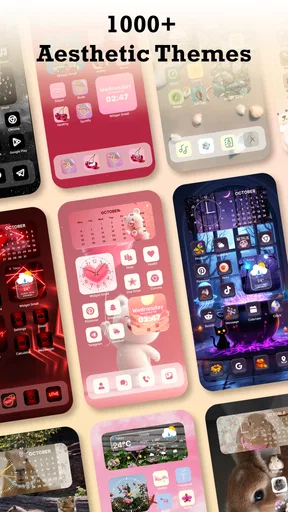
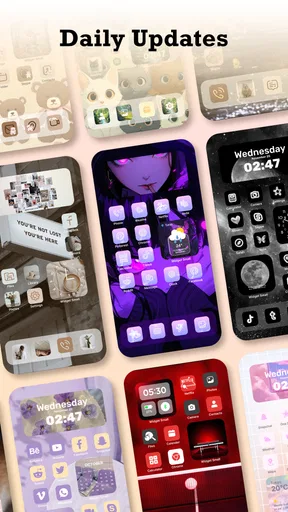
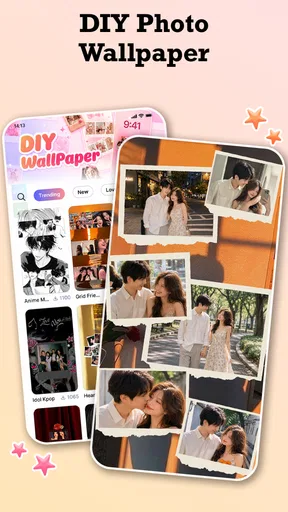
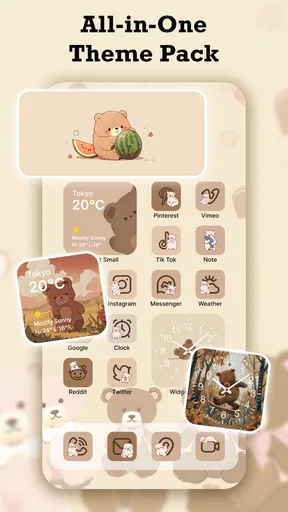
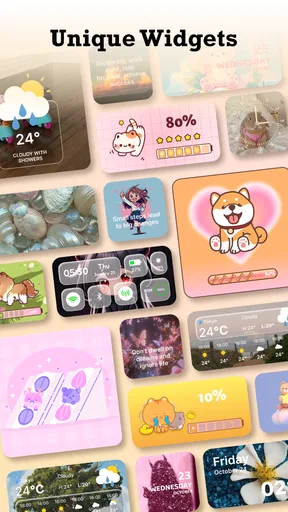
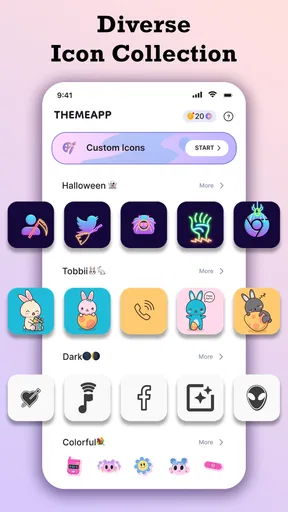
One of the coolest features is the extensive range of widgets and icons you can choose from. Whether you're into minimalistic designs or something a bit more extravagant, there's something for everyone. I spent a good hour just browsing through the various themes, trying to decide which one to settle on.
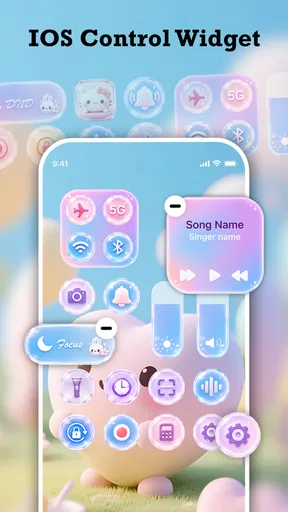
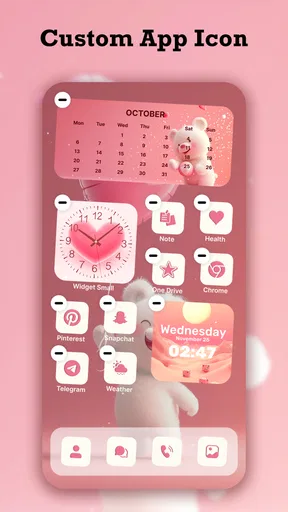
And it’s not just about changing icons. The app lets you tweak the size, shape, and even the color of widgets. You can also customize your home screen with different wallpapers to match your new icons. It’s like having a mini design studio right in your pocket.
That combination matters most when you want a coherent look rather than a single striking wallpaper. I’d start with one visual idea—perhaps a restrained color palette or a playful set of icons—and then choose widgets and wallpaper that support it. Changing everything at once can be fun, but it also makes it harder to tell which choice is working. A small, deliberate refresh is easier to live with and simpler to undo if the result feels busy.
There is a practical trade-off here: a theme can look polished in a preview yet compete with the apps and information you actually use. I’d keep the most important shortcuts easy to recognize and avoid letting decorative elements crowd the first screen. A tidy arrangement can make a personalized phone feel more usable, not merely different.
Making a change without overdoing it
Using the app is pretty straightforward. After selecting a theme, applying it to your phone is just a couple of taps away. The transition is smooth, and there’s no lag whatsoever, which is a huge plus in my book. Everything seemed to work seamlessly, and I didn’t encounter any bugs during my trial.
Worth Reading Before You Choose

EA SPORTS FC Mobile 26 Is a Bigger Football Game, but It Takes Time

Flipboard Shows What News Apps Must Do Beyond the Feed

Switching to Android Auto Means Rethinking Your Driving Routine

Google Calendar Makes a Crowded Week Easier to Manage

Ludo King Makes the Most of the Minutes Between Plans

Baby Panda World Brings Quick Play to Modern Phones, but Its Game Library Feels Busy
An added bonus is the preview feature that lets you see how your new setup will look before committing to it. This is super handy, especially if you’re as indecisive as I am!
My most useful tip is to treat that preview as a planning tool, not just a final thumbs-up. Look at whether the icon colors remain distinct against the wallpaper and whether a widget’s shape suits the space you want it to occupy. If you already know which apps you reach for most, check that the new arrangement keeps them familiar and easy to spot. That quick check can save the frustration of applying a look that is attractive but awkward in everyday use.
A realistic use case is changing the screen for a new routine or mood without rebuilding it from scratch. For example, before a busy week, I might choose a calmer wallpaper and a simpler set of visual elements so the home screen feels less distracting. For a more expressive look, I could try a bolder theme on a secondary screen while keeping the main one practical. The value is not just having many choices; it is being able to make the phone feel different while still shaping it around how I use it.
Where it fits among personalization options
Compared with the usual alternatives, this app’s strength is having several visual ingredients in one place. Someone who only wants a new background may find a wallpaper-focused app quicker, while a person who enjoys building a complete look can appreciate having icons, widgets, themes, and wallpapers to consider together. It is less appealing if you prefer the phone’s default appearance or already have a carefully tuned setup through other tools.
I’d also separate browsing from buying. The app is free to install, but it includes in-app purchases ranging from $0.99 to $39.99 per item. Since the catalogue includes paid choices, it makes sense to decide what you want before tapping through options: perhaps you only need a wallpaper, or perhaps a matching set is worth paying for. You can still approach it as a free personalization app, but I wouldn’t assume every design you like is included at no cost.
The app is made by Maxlabs Personalization Tools and belongs to the personalization category. It has a 4.7 average from around 50,000 ratings, with over 5 million installs. Those figures suggest it has found a broad audience, but they do not guarantee that every theme will suit an individual taste or every phone setup. I’d use them as reassurance that it is an established option, then judge the actual designs and workflow for myself.
Small frictions to keep in mind
Now, I wouldn’t be completely honest if I didn’t mention a couple of minor hiccups. While most of the themes and widgets are free, there are some premium options that require a purchase. It’s not a deal-breaker, but something to keep in mind if you’re on a tight budget.
Also, the app does have ads, which can sometimes be a bit intrusive. But hey, free apps have to make money somehow, right?
The other limitation is choice overload. When I’m browsing without a clear idea, a large selection can turn a quick refresh into a long session of comparing near-matches. Going in with a color, mood, or practical goal helps. If you want a highly controlled setup where every element is chosen independently and adjusted in detail, a dedicated launcher or separate customization tools may give you more control. This app is better suited to people who want accessible visual options gathered together than to anyone seeking a deeply technical home-screen project.
Compatibility is another sensible check before investing time in a design. The current version is 1.7.1 and the minimum operating system is Android 7.0, so it is aimed at Android users meeting that requirement. The content rating is Everyone. If you are choosing a personalization tool for someone else’s phone, I would first confirm that the device runs a compatible Android version and that the person is comfortable changing the look of their home screen.
Who will enjoy it most
I’d recommend it to someone who likes refreshing their phone’s appearance but doesn’t want to assemble a visual style from disconnected sources. It is particularly handy for people who enjoy matching icons and widgets to a wallpaper, or who want to experiment with a new look before settling on one. Casual customizers can browse a theme and make a noticeable change without needing design expertise.
On the other hand, I’d skip it if you are happy with your default icons, dislike ads, or have no patience for browsing a large selection. It may also be the wrong choice if you expect every option to be free or want granular control beyond the visual choices it offers. In those cases, a simpler wallpaper app or a launcher aimed at advanced customization may fit better.
Final Thoughts
All in all, Themes: Widgets & Icon Changer is a fantastic tool for anyone looking to spice up their phone’s interface. It’s user-friendly, packed with features, and provides endless possibilities for personalization. If you’re tired of the same old icons and want to give your phone a fresh new look, this app is definitely worth a try.
Ready to transform your home screen? You can download the app via the links provided on our site. Trust me, once you start customizing, you won't want to stop!
My verdict is positive, with a clear caveat: its best use is a considered visual refresh, not endless customization for its own sake. I’d open it with one goal in mind, preview the combination, and keep the first screen readable before applying a full theme. That approach makes the broad selection feel helpful rather than overwhelming, and it keeps the paid options and ads in perspective. If that sounds like your kind of phone makeover, this is an easy app to try.
Pros
- Highly customizable interface options.
- Wide variety of widget styles available.
- User-friendly drag-and-drop feature.
- Regular updates with new themes.
- Minimal impact on device performance.
Cons
- Limited free version features.
- Occasional crashes on older devices.
- Some themes require in-app purchases.
- Ads can be intrusive at times.
- Limited support for landscape mode.
FAQs for Themes: Widgets & Icon Changer
What is Themes: Widgets & Icon Changer and how does it work?
Themes: Widgets & Icon Changer is a personalization app that allows users to customize their phone’s home screen with unique themes, widgets, and icons. It works by providing a variety of design options that users can apply to transform the visual aesthetic of their device. The app requires access to your phone’s interface to implement these changes.
Is Themes: Widgets & Icon Changer compatible with all devices?
The app is compatible with most Android and iOS devices, but it’s always best to check the specific requirements on the app’s download page. Certain features may vary based on the operating system version you are using, so ensure your device is updated to enjoy the full range of customization options.
Does using Themes: Widgets & Icon Changer affect my phone’s performance?
While the app is designed to be lightweight, using extensive themes and widgets may have a minor impact on your device’s performance, particularly if it’s an older model. However, for most modern devices, the app operates smoothly without significant performance issues. Regularly updating the app can help maintain optimal performance.
Are there any costs associated with using Themes: Widgets & Icon Changer?
Themes: Widgets & Icon Changer is free to download, but it offers in-app purchases. These purchases may include premium themes, icons, and additional customization features. Users can choose to pay for these extras to enhance their personalization experience, but the basic features are accessible without any charges.
How can I revert to my original icons and themes if I change my mind?
Reverting to your original icons and themes is straightforward. The app typically includes an option to restore default settings or you can manually reset your phone’s theme in the settings. Checking the app’s help section or contacting support can provide specific guidance if needed.


